How To Use Snapchat Filters On TikTok? Step-By-Step Guide

Snapchat filters are available on TikTok.
Snapchat filters are available on TikTok.( Source : techcult )


Snapchat filters have been widely known and used among people but do you know that you can use them on Tiktok too?

Well, many people think that Snapchat filters can be used only in Snapchat but they can also be used in Tiktok.

Nowadays, in the era where the use of social media is thriving, social media apps are being connected to each other due to which you can use some features of one app into another app.

People who have been able to use Snapchat filters from the Tiktok app are enjoying it a lot.

How To Use Snapchat Filters On TikTok?

Snapchat Filters are popular filters that have been used by almost all people.

You can also use the Snapchat filter on Tiktok and enjoy it. People have seen that Snapchat filters have been going viral on the Tiktok app.

The Snapchat filters like no beard filter or crying face filter had been a trend at the time on Tiktok. But the trending filters are still being used by people.

You might be wondering how to use Snapchat filters. It is easy to use Snapchat filters on the Tiktok platform.

Here Is The Step By Step Guide On How To Use Snapchat Filters On TikTok

Let's seen the steps to make your own tiktok video using the Snapchat filters on the platform.

1. Install the Tiktok app:

You need to click on smiley face emoji to get access to Snapchat filters. ( Source : techcult )

For using the Snapchat filter, you must have the Tiktok app. So, the first step is to install the app. After installing the app, open the app and search for the smiley face icon on the app.

You will find the smiley face icon on the left-hand side and press it to get access to the various filters.

2. Use the filters according to your desire.
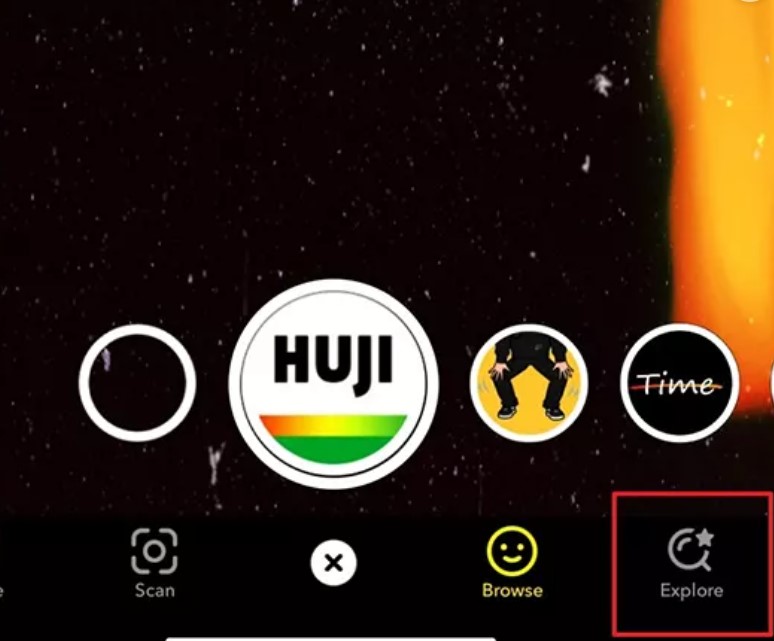
You need to click explore button to find various filters.
You need to click explore button to find various filters. ( Source : techcult )

You can search for different filters available by pressing the explore button. After pressing the explore button, explore the filter that you want to try.

3. Select a filter for the use

You can choose filter from wide range of filter present in the platform ( Source : techcult )

After you have browsed the filter that you want to use than point the camera of your phone at the object or the person. Choose the filter that you like and then you are ready to record.

4. Recording the video
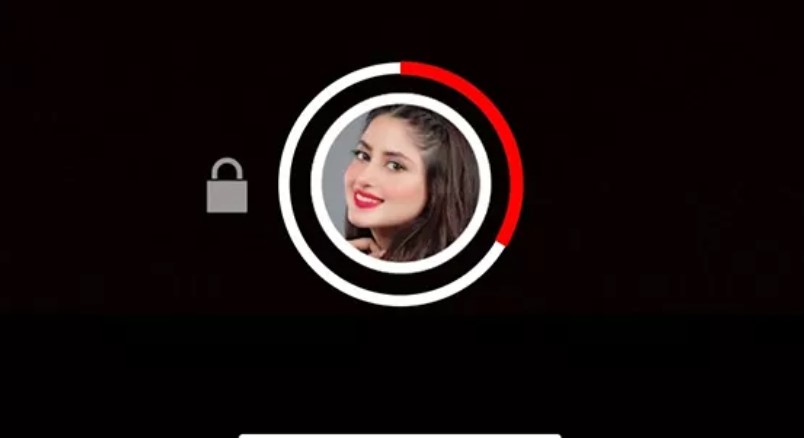
To record the video long press the record button the scree of the app.
To record the video long press the record button the scree of the app. ( Source : techcult )

Now after selecting the filter you want to use just long press the record button. that you will see on the screen. If You need to change the filters you can press the filters tab.

5. Save the Video
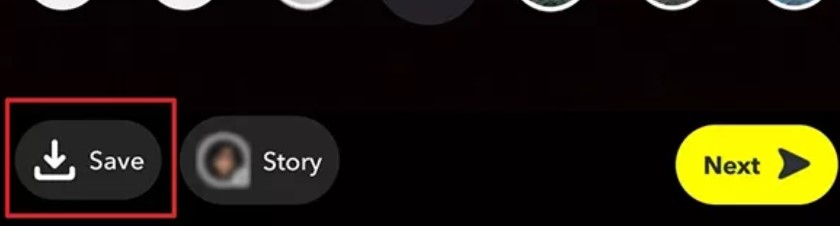
Save the video by pressing the save button present on the left side of the screen
Save the video by pressing the save button present on the left side of the screen ( Source : techcult )

After you have made the video using the filter then now use the editing features available on Tiktok. You can add text/links, cropping, trim, insert stickers, and many more.

Once you have edited the video according to your wish then you need to press the Save button present on the extreme left side of the screen's bottom.

After pressing the Save button, your video will finally be saved.

6. Uploading Video

Now you can upload your video by pressing the Upload button. ( Source : techcult )

Once you have saved the video, now it is time to upload the video. It is easy to upload the video you just need to press the Upload button and import your save video.

After that, you need to click next and make changes. You also need to add the caption to the video according to your need and click the post button.

Once you click the post button, it will be uploaded to your Tiktok account.

So, in this way you can make your own Tiktok video by using the Snapchat filter available in Tiktok.

Some of the trending Snapchat filters are:

  • Butterfly Cheeks
  • Palm Beach
  • Indie Glasses
  • Classic Cutie
  • Moody BBY
  • Vintage Retro
  • Butterfly Bling
  • Cozy Kira
  • Cherry Cola Bling
  • Pastel Butterfly
  • Soft Cherry Kira
  • Teal Kira
  • Indie Bling V2
  • Sharpen Saturation
  • Devil
  • Video star
  • Dark triplets
  • Trippy V1
  • Trippy V2
  • Golden Hour

There are filters and effects of Tiktok too and you can get access by pressing the filter button present on the right side of the screen.

You can use the effects present on the Tiktok by pressing the effect button present on the left bottom side of the screen.





More from Guide

Stewie2k Valorant Settings: Crosshair, Mouse, Keybinds, Map And Video

Guide
Stewie2k is a Pro gamer known for his unique Valorant setting style to win the games. He was CS: GO Major champion in Boston 2018 event. He is an American professional Counter-Strike: Global Offensive player whose real name is Jacky Yip. In his...

Zellsis Valorant Settings 2022: Mouse, Keybinds, Crosshair And More

Guide
Zellsis is an American Esports player who is known for his achievements in the game Valorant. He currently plays for the team Version1, an American Esports organization owned by WISE Ventures, an investment fund in New York, and the Wilf family, the ...

Comic Actor Wilson Crossword Clue Answers

Guide
Netizens are searching for Comic Actor Wilson Crossword clue answers all over the internet. Feel free to scroll down to find all the answers to the crossword of September 8, 2022, arranged by NYT. They're extremely simple, to begin with, but some clu...

Tidily Crossword Clue And Answers - How To Solve The Puzzle?

Guide
Tidily crossword is a clue whose answers have been revealed. Here is what we have found out. Crosswords are exciting and a form of mental yoga for many people. It forces people to think of words that automatically help to improve vocab. M...

What Is Savant Crossword Clue, How To Solve 4 Letter - 11 Letter?

Guide
Savant is a crossword puzzle clue that we have spotted so many times. Here are some answers to this particular crossword clue. Crossword is one of the most popular puzzle games on the planet. The first known crossword puzzle was created by Arthur Wy...

Read More

  1. Liver Queen Net Worth 2022
  2. Colt Knost Wife Natalie Johns Still Remember Those Wedding Moments
  3. Lewis Howes Girlfriend Martha Higareda And Inside Their Dating Life
  4. Summer Warne Net Worth 2022 As Shane Warne Daughter Inherited His Career Earnings

Read More

  1. British Actress Cora Kirk Makes Her Big Debut With Amazon Prime's "Your Christmas or Mine?"
  2. Remember Actor Mark Vandebrake From Willow? Here Is What He Has Been Up To Now
  3. Disney's Willow Gives A Callback To The Original Series With Cameos, Who Plays The Baby?
  4. Social Media Influencer And Actress Morgan Harvill Celebrated Her Birthday In Los Angeles
  5. Irish Model Niamh Mccormack Transitions Into Acting With Disney's Willow

Read More

  1. Riley Shanahan Wife Harriette Feliz Is An Artist
  2. Percelle Ascott Parents Are Angie Advani and Marcus Ascott
  3. 5 Facts On Andrew Shue Son Nathaniel William Shue
  4. Hunter Lee Soik Net Worth 2022 As The Founder of SHADOW App
  5. Snack Vs Chef Host Hari Kondabolu Wife Is Jocelyn De Freitas

Read More

  1. Nicklin Hames Boyfriend Chris Hickman Is A Nebraska Football Tight End
  2. Kendra Middleton Is A NESN Reporter Who Has A Secret Crush On Tom Brady
  3. Former Quarterback Trent Dilfer Has Three Daughters Who Plays Volleyball
  4. AJ Epenesa Girlfriend Mary Marusza Played Volleyball From High School To Univeristy